

Hello Guys,
This is a quick example of how to drop columns in Laravel migrations.
In this article, We will be discussing Drop single column, drop multiple columns, drop columns if exists.
No worries, if you don’t know how to create migrations in Laravel, will discuss that as well.
Here is a command to create a migration file in Laravel.
1. Go to your Laravel installation directory, open CMD ( For windows user ),
and copy the following code to create a migration.
php artisan make:migrations drop_column_from_users_table
The above command will create a migration file that will be used to drop columns from the table.
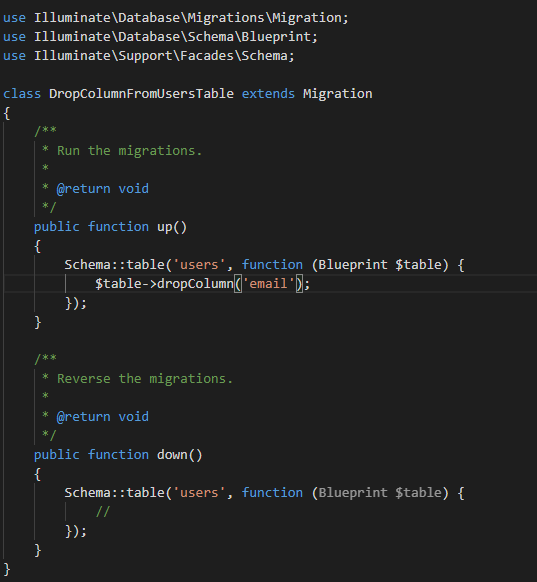
Now you have successfully created a migration file, now open that file
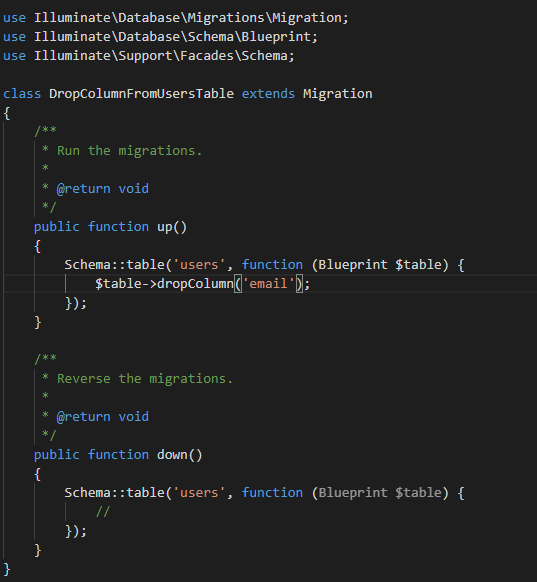
Let’s drop a single column first.
In the Up method,
add following code
$table->dropColumn(‘your_column_name’);
Lets drop multiple column,
$table->dropColumn([‘your_first_column’,’your_second_column’]);
Note: Better you create separate migration files for each column you want to drop.
Let’s drop the column if exists
if( Schema::hasColumn(‘your_table_name’, ‘your_column_name ) ) {
Schema::table(‘users’, function (Blueprint $table) {
$table->dropColumn(‘your_column’);
}
}
Thats it. Leave Down method blank. or you can add a command to create the column.
If you also would like to check out How To Add Column In Laravel migrations.
Glad your read it all.


Leave a Reply