

For years, CSS developers have relied on preprocessors like Sass and Less to achieve nested styles. This technique groups related styles together, making code more readable and maintainable. But what if you could achieve the same benefits without a preprocessor? Well, with the introduction of native CSS nesting, that’s becoming a reality.
What is Native CSS Nesting?
Native CSS nesting is a new feature built directly into CSS. It allows you to define styles for child elements within the style block of their parent element. This creates a hierarchical structure that reflects the HTML document’s structure, making your CSS easier to understand and manage.
Benefits of Nesting with Native CSS
- Improved Readability: Nested styles keep related properties grouped together, making it clear which styles apply to which elements. This is especially helpful in complex stylesheets.
- Enhanced Maintainability: As your project grows, modifying styles becomes simpler. You can quickly locate and update styles for specific elements within the nested structure.
- Reduced Code Size: Nesting can potentially reduce code size by eliminating the need to repeat selectors for child elements.
Using the & Selector
The & selector is a powerful tool in native CSS nesting. It represents the parent selector in the current context. This allows you to easily target child elements and combine them with the parent selector for more complex styles.
Example: Nesting Styles for a Button Component
Here’s an example of how to nest styles for a button component using native CSS:
.button {
  padding: 10px;
  border: 1px solid #ccc;
  cursor: pointer;

  &:hover {
    background-color: #eee;
  }

  &--primary {
    background-color: #007bff;
    color: #fff;
  }
}
In this example, the base styles for the button are defined within the .button selector. The &:hover rule targets the button on hover and applies a subtle background change. Additionally, the &–primary rule creates a primary button variation with a blue background and white text.
More Examples of Nesting in Action
Navigation Menu:
.nav {
  display: flex;
  list-style: none;

  li {
    margin-right: 10px;

    a {
      text-decoration: none;
      color: #333;

      &:hover {
        color: #007bff;
      }
    }
  }
}
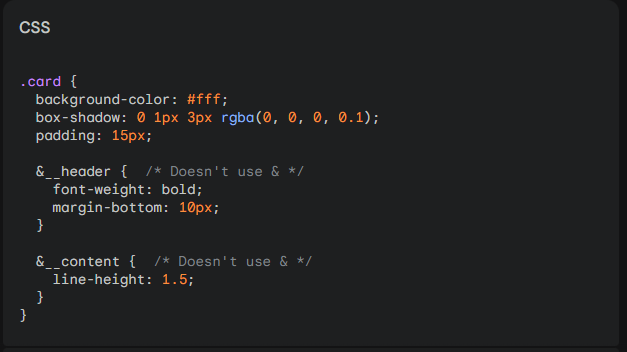
Card Component:
.card {
  background-color: #fff;
  box-shadow: 0 1px 3px rgba(0, 0, 0, 0.1);
  padding: 15px;

  &__header {
    font-weight: bold;
    margin-bottom: 10px;
  }

  &__content {
    line-height: 1.5;
  }
}
Browser Support and Considerations
While native CSS nesting is gaining traction, browser support is still evolving. It’s important to check compatibility before relying solely on this feature. Consider using a CSS preprocessor or a polyfill for wider browser coverage.
Conclusion
Native CSS nesting offers a compelling way to write cleaner and more maintainable CSS. As browser support continues to improve, it’s likely to become a standard practice in web development. By understanding the concepts and benefits of nesting, you can start incorporating it into your CSS workflow for a more organized and efficient coding experience.


Leave a Reply