

Introduction ERR_SSL_KEY_USAGE_INCOMPATIBLE
Encountering the ERR_SSL_KEY_USAGE_INCOMPATIBLE error can be frustrating, especially for developers using Laragon for local development. This error, often associated with SSL certificate configurations, can disrupt workflow and hinder progress. Fortunately, there’s a solution that worked for many, and in this guide, we’ll walk you through the steps to resolve this issue.
The ERR_SSL_KEY_USAGE_INCOMPATIBLE error points to an issue with the SSL certificate’s usage or recognition by Chrome.
This issue is related to the value of the ‘KeyUsage’ parameter in the SSL config of ‘v3_req’.
Because of this issue I had to remove SSL from laragon for several months. I know many more like me are suffering too, so i am here to share how i solved ERR_SSL_KEY_USAGE_INCOMPATIBLE chrome issue.
So i can’t wait to share the fix that worked for me.
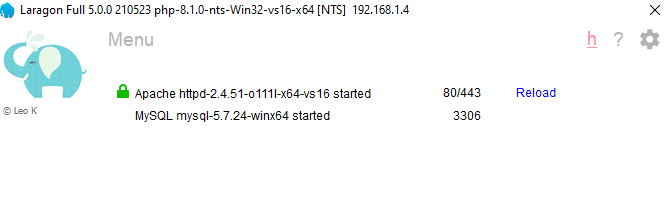
I am using windows 10 and Laragon 5 for local development.
So here are the steps that solved ERR_SSL_KEY_USAGE_INCOMPATIBLE error for me.
Step 1: Modify openss.conf.tpl
Navigate to the openss.conf.tpl file in your Laragon installation directory typically located at
D:\LocalServer\laragon5\bin\laragon\tpl\openss.conf.tplFind keyUsage = keyEncipherment, dataEncipherment and replace with
keyUsage = nonRepudiation, digitalSignature, keyEnciphermentStep 2: Adjust openssl.conf.tpl
Open file
D:\LocalServer\laragon5\usr\tpl\openssl.conf.tplReplace keyUsage with keyUsage = nonRepudiation, digitalSignature, keyEnciphermentStep 3: Update auto.openssl.conf
D:\LocalServer\laragon5\etc\ssl\auto.openssl.confReplace keyUsage to keyUsage = nonRepudiation, digitalSignature, keyEnciphermentStep 4: Save Changes
After making these modifications, save the changes to all three files.
The path of local server, D:\LocalServer\laragon5\ please change to your laragon installation path.
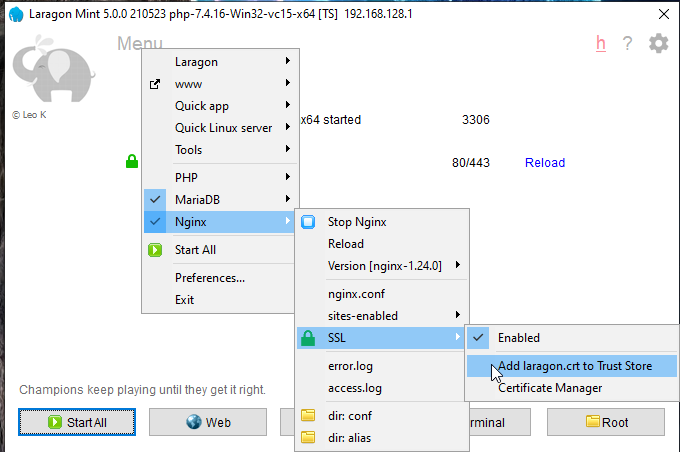
Now restart you Laragon Server, And Enable SSL if you have not enabled it. Then add certificate to trusted list. See bellow screen for help.
Happy Coding !
Conclusion:
By following these simple steps, you can resolve the ERR_SSL_KEY_USAGE_INCOMPATIBLE error in Laragon and resume your development work without interruptions. These adjustments ensure that the SSL certificate’s key usage aligns correctly with Chrome’s expectations, allowing for smooth and hassle-free local development. If you encounter any further issues or have questions, feel free to reach out for assistance. Happy coding!


Leave a Reply