

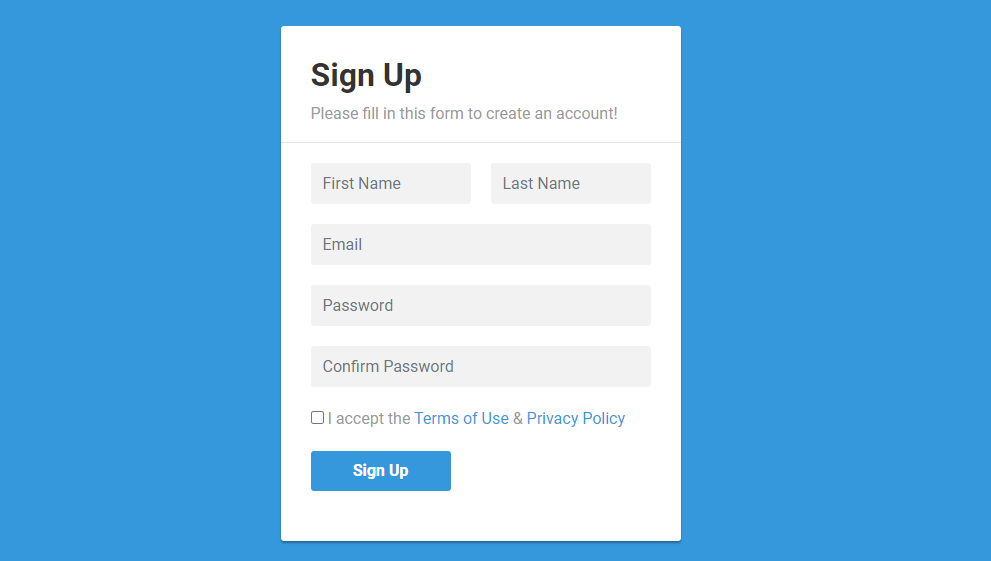
Customizing registration forms is key to providing a seamless user experience. Even though WordPress provides default user registration form and user login form, people still need custom user registration form, why? because of some customize limitation. In this guide, we’ll walk through the process of creating tailored WordPress user registration form, utilizing templates and plugins to optimize the sign-up process.
Sign up in WordPress is one key part if you want to track your visitor’s record. like if you are selling something or you are some club house or anything where you want know, who and when something happened, you will need user registration.
If you also need Custom User Login Form its here.
Why Customize WordPress User Registration Form?
Standard registration forms may not fully capture the essence of your brand or the specific data you need. By customizing user registration form, you can:
- Tailor the registration process to match your branding and design preferences.
- Collect additional user data relevant to your business or community.
- Simplify the sign up in WordPress, leading to higher conversion rates.
- Offer a personalized user experience, fostering stronger connections with your audience.
Creating Custom WordPress User Registration Form
Let’s dive into creating a sample user registration form in WordPress using a theme template:
Step 1: Define Your Custom WordPress User Registration Form Fields
Before diving into customization, identify the additional information you want to collect during user registration. This could include fields such as ‘Full Name’, ‘Phone Number’, or ‘Location’. Define these fields to align with your website’s objectives and audience demographics.
Step 2: Explore Registration Plugins for WordPress
WordPress offers a variety of plugins that simplify the creation of custom registration forms. Explore plugins like ‘User Registration’ or ‘Profile Builder’ to easily add, remove, or rearrange registration fields without delving into code. This should be easier if you are not programmer or you don’t know coding.
If you don’t think plugin meets your requirement, you can create your own sign up form in WordPress.
Lets talk about that next step.
Step 3: Create Your Own WordPress User Registration Form
For advanced customization, create a custom user registration form template within your WordPress theme directory. Name it appropriately, such as custom-registration-form.php. In this template, blend HTML with PHP functions to design and process user registrations according to your specifications.
Save your file and let add more code.
Now add your form elements
Register New Account
We have defined our form elements, you can design it as your site’s need. I have used bootstrap 3 in above code, you can replace class if you want to use latest version of bootstrap or your custom style.
Next part is to handle form submission. Lets do that
/**
 * Handle Register Form Submission
 */

$error = "";
$message = "";

if (!empty($_POST['mb_register_form_nonce']) && wp_verify_nonce($_POST['mb_register_form_nonce'], 'mb_register_form_nonce')) {

    $mb_username        = sanitize_user($_POST['mb_username']);
    $mb_firstName       = sanitize_text_field($_POST['mb_first_name']);
    $mb_lastName        = sanitize_text_field($_POST['mb_last_name']);
    $mb_email           = sanitize_email($_POST['mb_email']);
    $mb_professional_bg = sanitize_text_field($_POST['professional_bg']);

    $mb_password        = $_POST['mb_password']; // No need to sanitize password fields
    $mb_conf_password   = $_POST['mb_conf_password']; // No need to sanitize password fields

    // Perform additional validations
    if (
        empty($mb_username) || empty($mb_firstName) || empty($mb_lastName) || empty($mb_email) || empty($mb_professional_bg)
        ||  empty($mb_password) || empty($mb_conf_password)
    ) {
        $error = "All fields are required! Please fill all fields.";
    } elseif (!is_email($mb_email)) {
        $error = "Please enter a valid email address.";
    } elseif (email_exists($mb_email)) {
        $error = "Email address is already in use. Please choose a different one.";
    } elseif ($mb_password !== $mb_conf_password) {
        $error = "Passwords do not match.";
    } else {
        // Create new user
        $user_id = wp_create_user($mb_username, $mb_password, $mb_email);
        if (is_wp_error($user_id)) {
            $error = $user_id->get_error_message();
        } else {
            // Update user meta
            update_user_meta($user_id, 'first_name', $mb_firstName);
            update_user_meta($user_id, 'last_name', $mb_lastName);
            update_user_meta($user_id, 'professional_background', $mb_professional_bg);


            $message = "User registration successful!. Redirecting...";
        }
    }

    // Redirect after registration
    if (empty($error)) {
        // Add a delay before redirecting
        sleep(2);
        // Redirect to login page
        wp_redirect('/user-login');
        exit;
    }
}
Step 4: Customize Registration Form Styling
Enhance the visual appeal of your registration form by applying CSS styles that match your website’s design. Utilize custom stylesheets or plugins like ‘Custom CSS’ to seamlessly integrate your registration form with your WordPress theme.
Full Code Example:
get_error_message();
} else {
// Update user meta
update_user_meta($user_id, 'first_name', $mb_firstName);
update_user_meta($user_id, 'last_name', $mb_lastName);
update_user_meta($user_id, 'professional_background', $mb_professional_bg);
update_user_meta($user_id, 'country', $mb_country);
$message = "User registration successful!. Redirecting...";
}
}
// Redirect after registration
if (empty($error)) {
// Add a delay before redirecting
sleep(2);
// Redirect to login page
wp_redirect('/user-login');
exit;
}
}
/**
* get header
*/
get_header();
?>
Register New Account
Now, go to wp-admin and create a new page, name is anything like user-registration, and select this newly created template from right sidebar, and save it.
Now visit the page you just created, hurry! you just successfully created your own user registration or sign up in WordPress.
Conclusion
Customizing registration forms in WordPress empowers you to optimize user registration while gathering valuable user data. Whether through plugins or manual template customization, tailoring the registration process enhances user engagement and strengthens your connection with your audience.
Start customizing your WordPress registration forms today to elevate your website’s user experience and achieve your business objectives!


Leave a Reply